
Submit a New Test: In the Depthnode test chat, submit a new form entry.
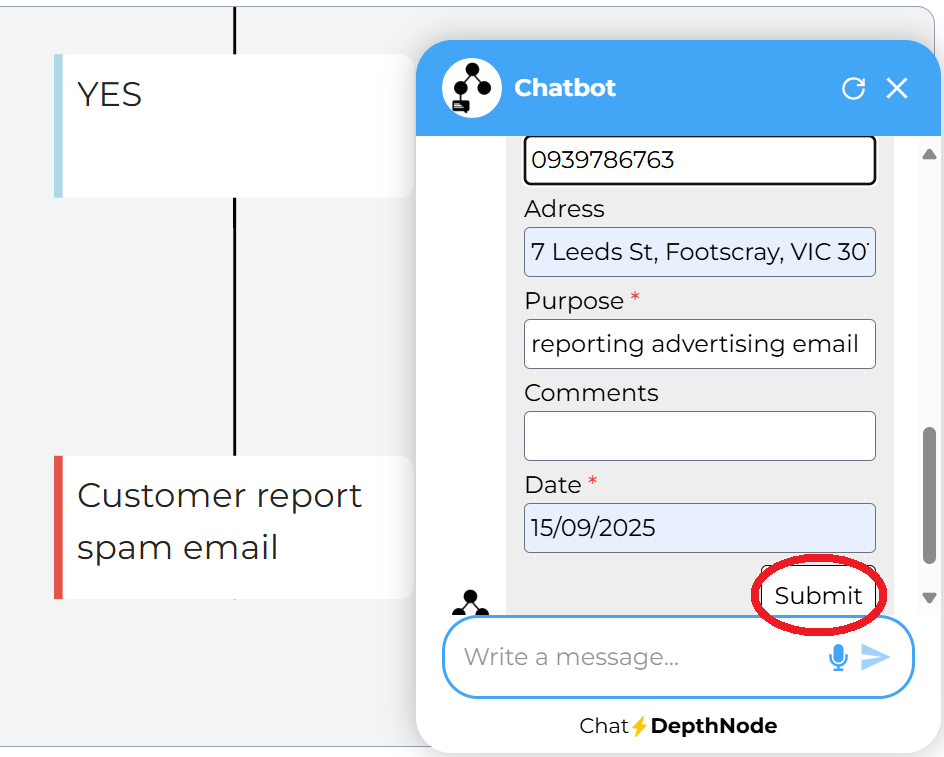
Submission message: Once the submission is successful, the end user will receive a message from the chatbot and Webhook response.
For example, (“Your information has been sent. Thanks for your submission!”
“Thanks Sheena for submitting, your unsubscribing monthly for the application has been successfully collected.”)
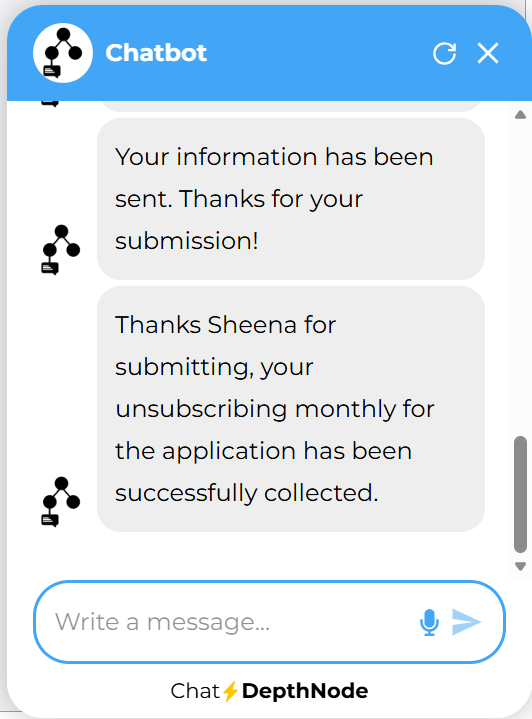
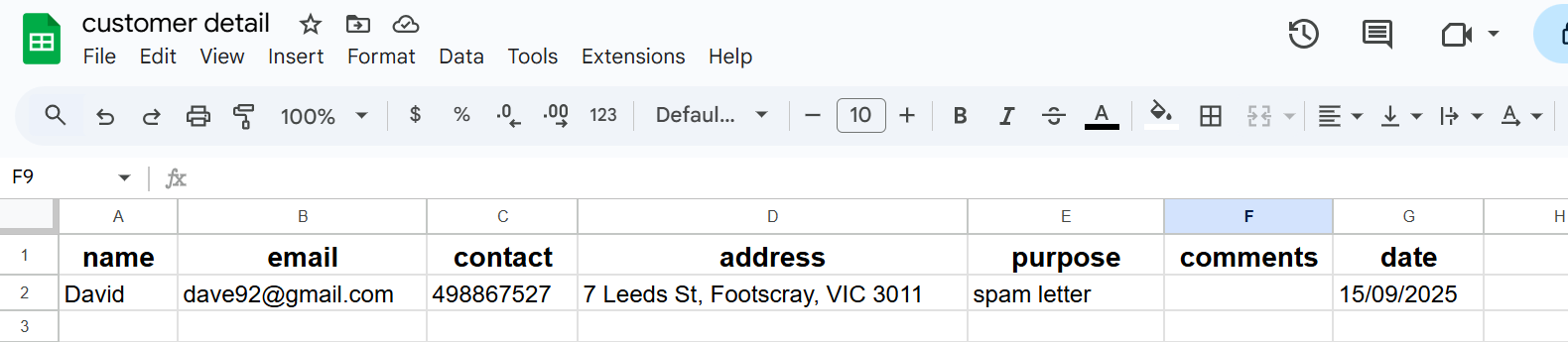
Verify the Result:
Google Sheet: A new row is added.
DepthNode Chat: The JSON response is automatically read by the assistant, and the friendly, personalised message you created (e.g., “Thanks [1. Name] for submitting, your [1. Purpose] has been successfully collected”) appears in the chat interface.
The information submitted in the form automatically has been transformed to the Google sheet.
Important Note on JSON Formatting
When configuring the Webhook Response to communicate back to Depthnode, the following strict rules apply:
The entire reply message must be a valid JSON object.
The reply message must contain the specific key “depthnode”.
The only content in the webhook reply body can be the JSON object. You cannot have any other plain text, characters, or debugging data outside of the JSON structure, as this will prevent DepthNode from reading the response correctly.
The use of the Make.com ‘Create JSON’ module (as instructed in Section 4, part I) is the simplest and most reliable way to guarantee the payload meets these formatting requirements before it is sent by the ‘Webhook Response’ module.
