
A decision tree in DepthNode is the foundation of how an AI assistant manages structured conversations. It acts like a map or flowchart, guiding the AI chat from one message to another depending on what the user says or clicks. Each step or message in the conversation is represented as a node, and the connections between these nodes determine how the chat progresses.
Purpose of the Decision Tree
Decision trees allow non-technical users to design structured, step-by-step conversations by visually connecting nodes that control how the assistant responds and interacts with users.
The decision tree helps create:
Logical conversation flows – so the assistant stays on-topic.
Predictable outcomes – every user input leads to a specific node or reply.
Automation triggers – form submissions or webhooks can send collected data to Google Sheets, CRMs, or email systems.
Instead of the AI freely generating responses, the decision tree defines exactly what happens next, ensuring accuracy and brand consistency.
Structure of a Decision Tree
Every DepthNode decision tree begins with an Introduction Node, followed by connected child nodes.
The Introduction Node is the first message that appears when a user opens the chat.
Example: “Hello! How can I assist you today?”
The Child Nodes are the possible paths or replies depending on what the user chooses or types.
For example:

Each branch represents a unique user journey.
This makes decision trees ideal for structured workflows such as customer service, student queries, booking systems, or technical support.
Node Types in DepthNode
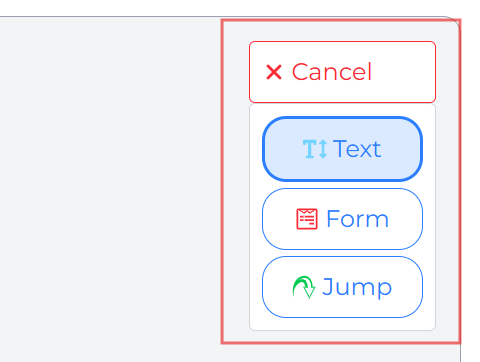
DepthNode offers three node types to design any assistant flow efficiently
- Text node: Display Content and Offer Choices
- Form Node: Collects information like name, email, or message.
- Jump Node: Redirects users to another node already in the tree (to avoid duplication).
Benefits of Using Decision Trees
Consistency: Ensures the assistant gives uniform responses.
Ease of Navigation: Users can easily select options instead of typing everything.
Error Reduction: AI won’t misinterpret inputs when pre-defined paths exist.
Integration: Tree nodes can trigger automated workflows through forms and webhooks.
Customization: Each node can be individually edited for tone, content, and design.
Thus, a decision tree is both the logic brain and conversation backbone of every DepthNode assistant.
