This guide details the process for integrating your Depthnode assistant with a third-party automation platform like Make.com, Zapier, or n8n. This process uses a webhook to send data in real time. This method is more widely accepted than direct Application Programming Interface (API) integration.
Preparing the Google sheet
Before setting up the assistant or the automation scenario, you’ll need a Google Sheet to receive the data.
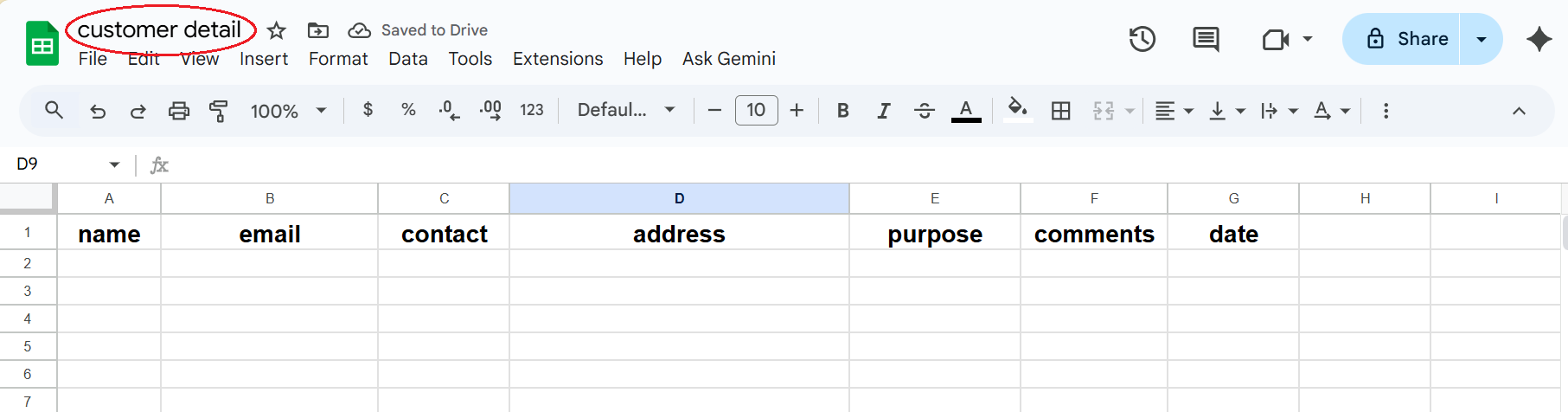
Create a New Sheet: Create a new Google Sheet (e.g., in your Google Drive).

Enter Column Headings: In the first row of your sheet, enter the specific column headings for the data you plan to collect. For this sales example, the first row must contain these exact headings: Name, Email, Contact, Address, Purpose, and Type (this last field will be used to classify the source of the data, e.g., “sales”).
Type (This field will be used to classify the source of the data, e.g., “sales”).
Name the Sheet: Name the spreadsheet something descriptive, such as “customer_detail”.