
Q&A training allows you to provide specific questions and answers for the assistant. This helps the AI respond accurately to user queries by mapping questions to precise answers.
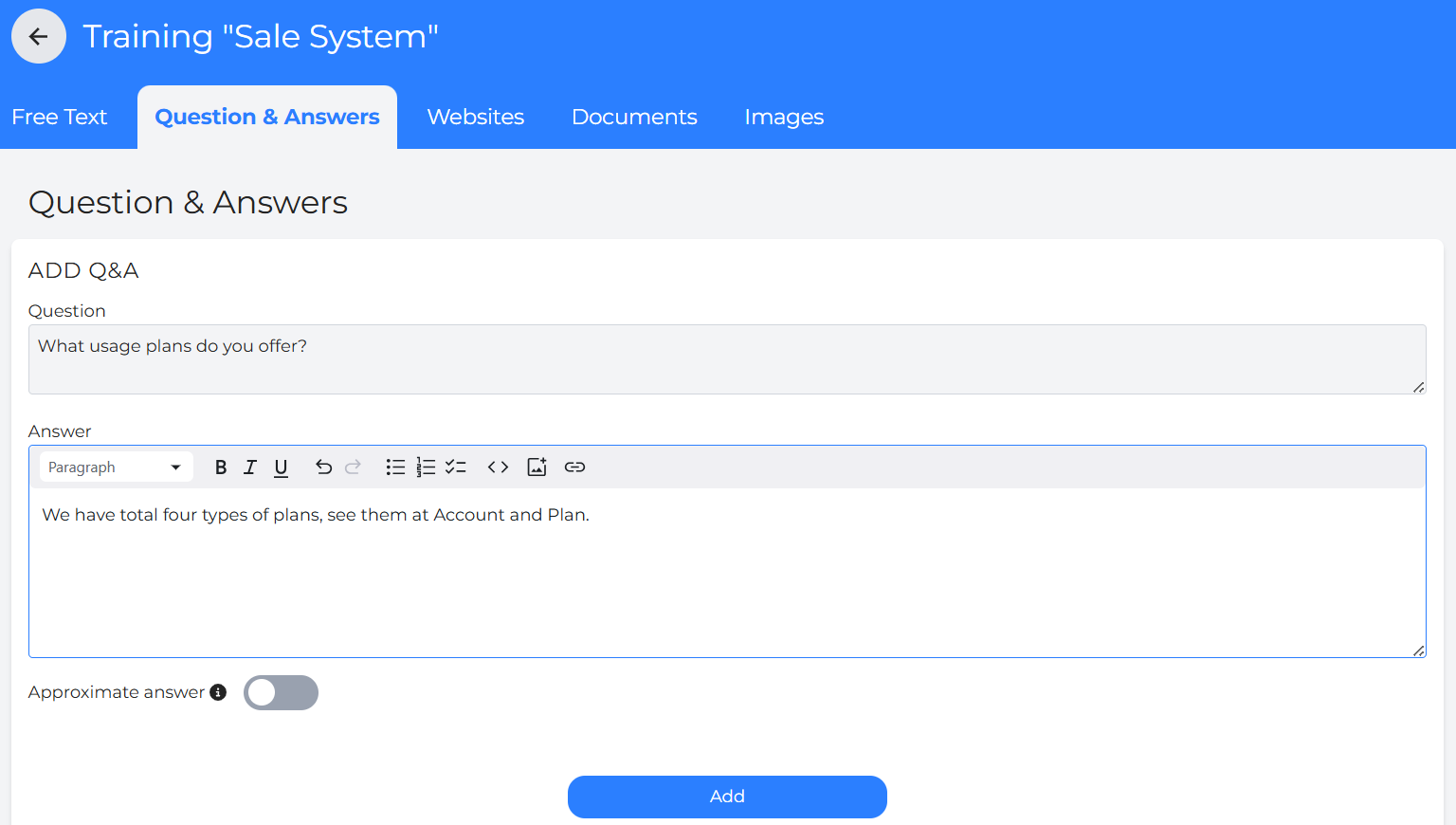
Input specific questions and their desired answers as a set.
Users can add as many Q&A pairs as needed.
It is useful for building customer service assistants.
FAQs can be prepared in advance for better productivity.
Always click “Add” to save changes.
Current Questions and Answers
Each Q&A entry is listed with its title, along with the date and time it was added.
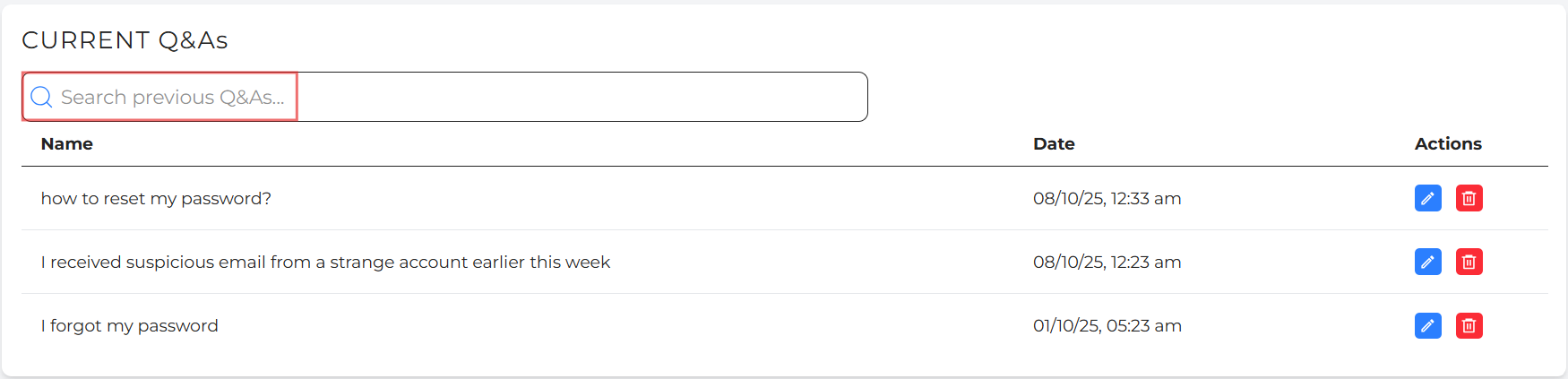
To edit a question or answer, click the pencil icon, make your changes, and then click “Save Changes”.
To delete a Q&A entry, click the red bin icon.
The Search bar makes it easier for users to look for the previous Q&A training resources.
Tip: Always review edits carefully to ensure the assistant responds accurately.

